
Mobile application for build vocabulary
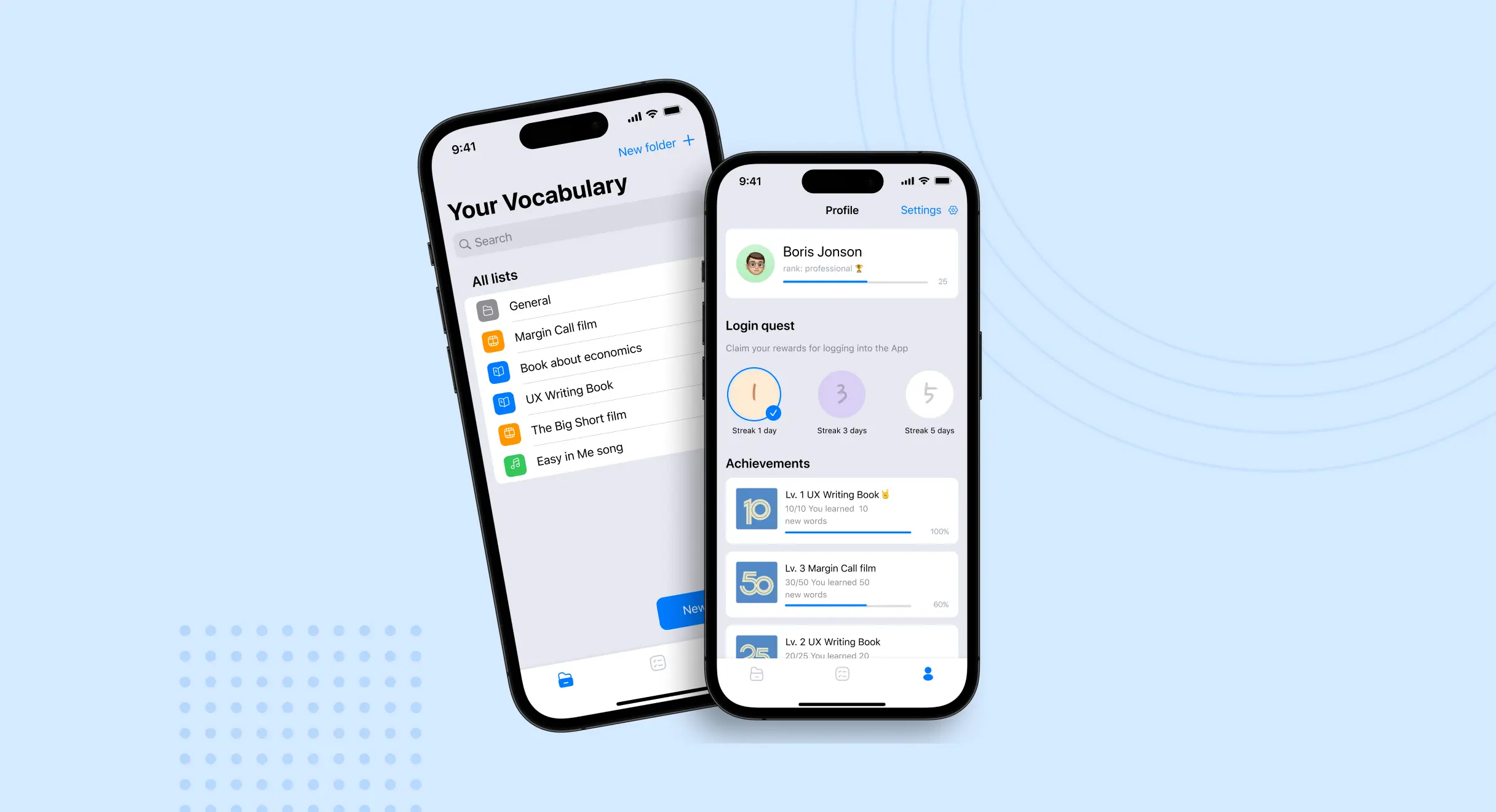
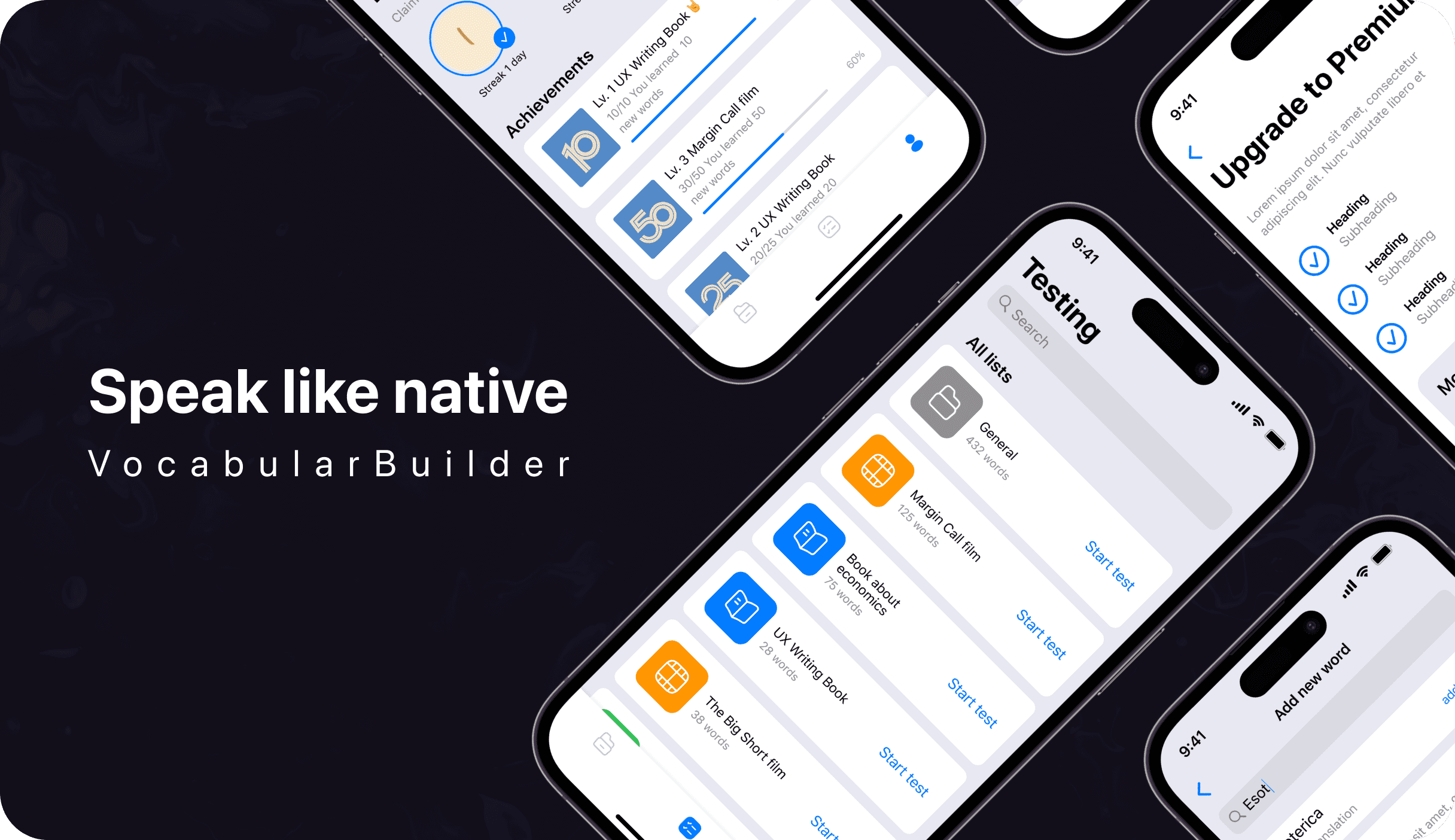
Vocabularbuilder is an AI-powered vocabulary learning app that lets users build their own topic-based lists and courses, test their knowledge, and track progress with an intuitive iOS interface.
Our role
Design and engineering
Platform
iOS mobile app
Scope
UX research, UI design, AI-powered features
Year
2023-2025
25+
Screens designed and shipped
How we work
Our team began with user research to understand language learning patterns and the challenges of vocabulary retention. We then designed an AI-powered mobile interface following the iOS Guidelines for intuitive navigation and a polished user experience.
The development process focused on integrating AI algorithms for smart word suggestions and building interactive testing systems. Our UX/UI designers and mobile developers collaborated closely to optimise the interface for small screens, keeping a clear visual hierarchy and engaging progress tracking throughout the entire learning journey.
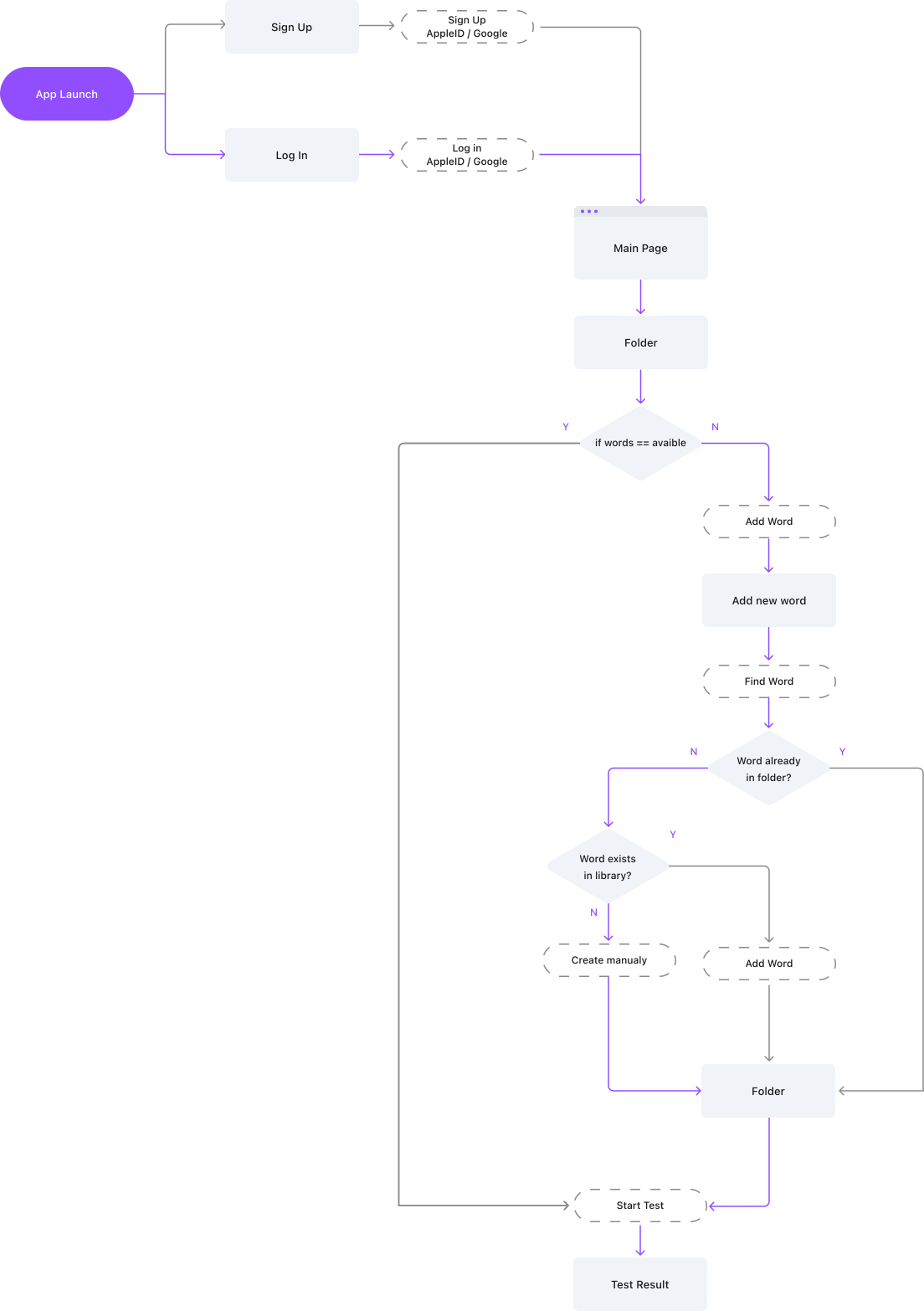
User Flows
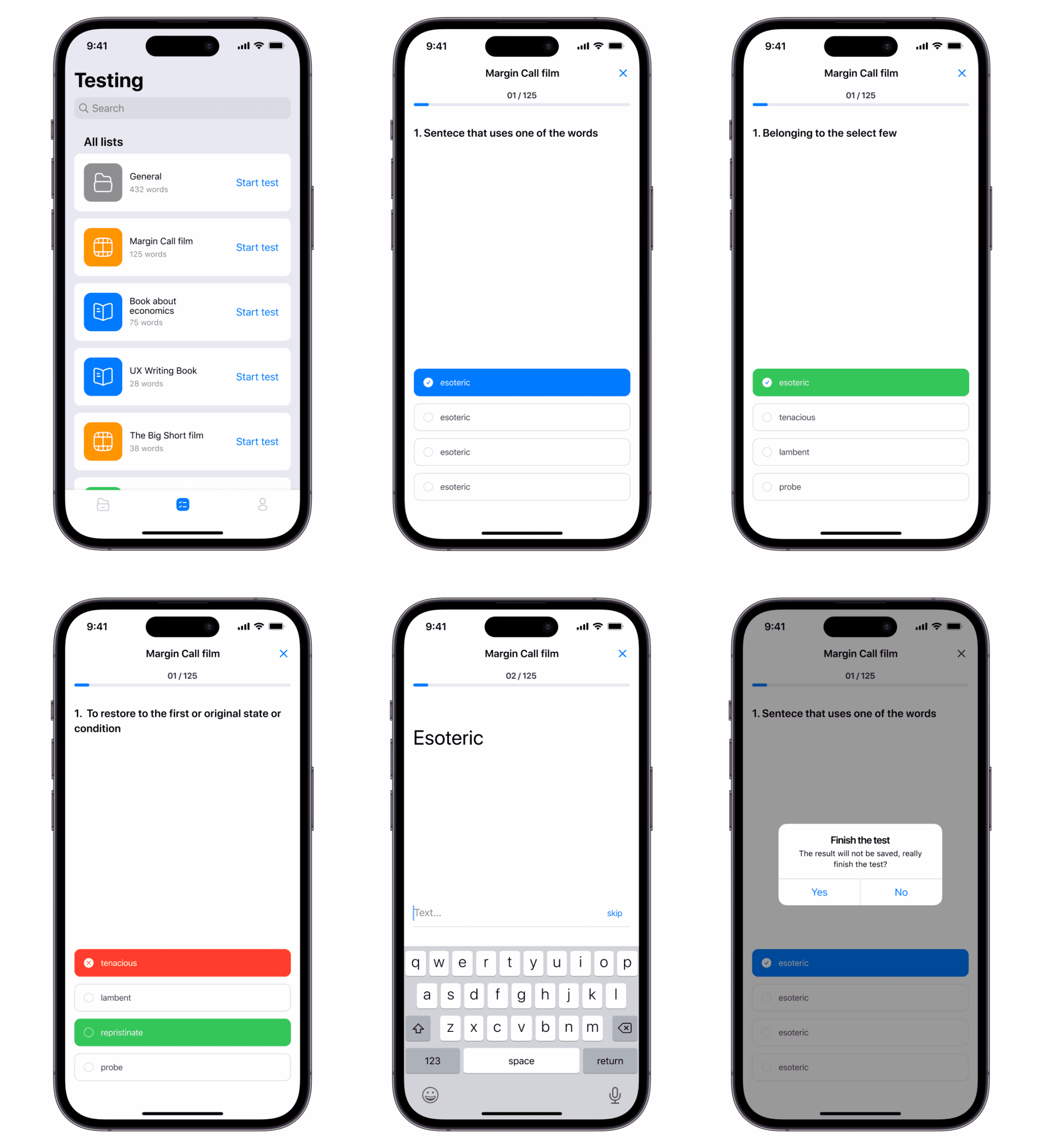
To create the user flows for the Vocabularbuilder app, we first analyzed the main user journey in the app that took place in testing the words created. We have defined the main stages of passing the test, such as choosing a word, viewing its definition, entering an answer and checking the correctness of the answer options.
As a result, our user flows prevent users from exploring the Vocabulary Builder functionality, testing comfortably, and providing a user-friendly and logical interface.
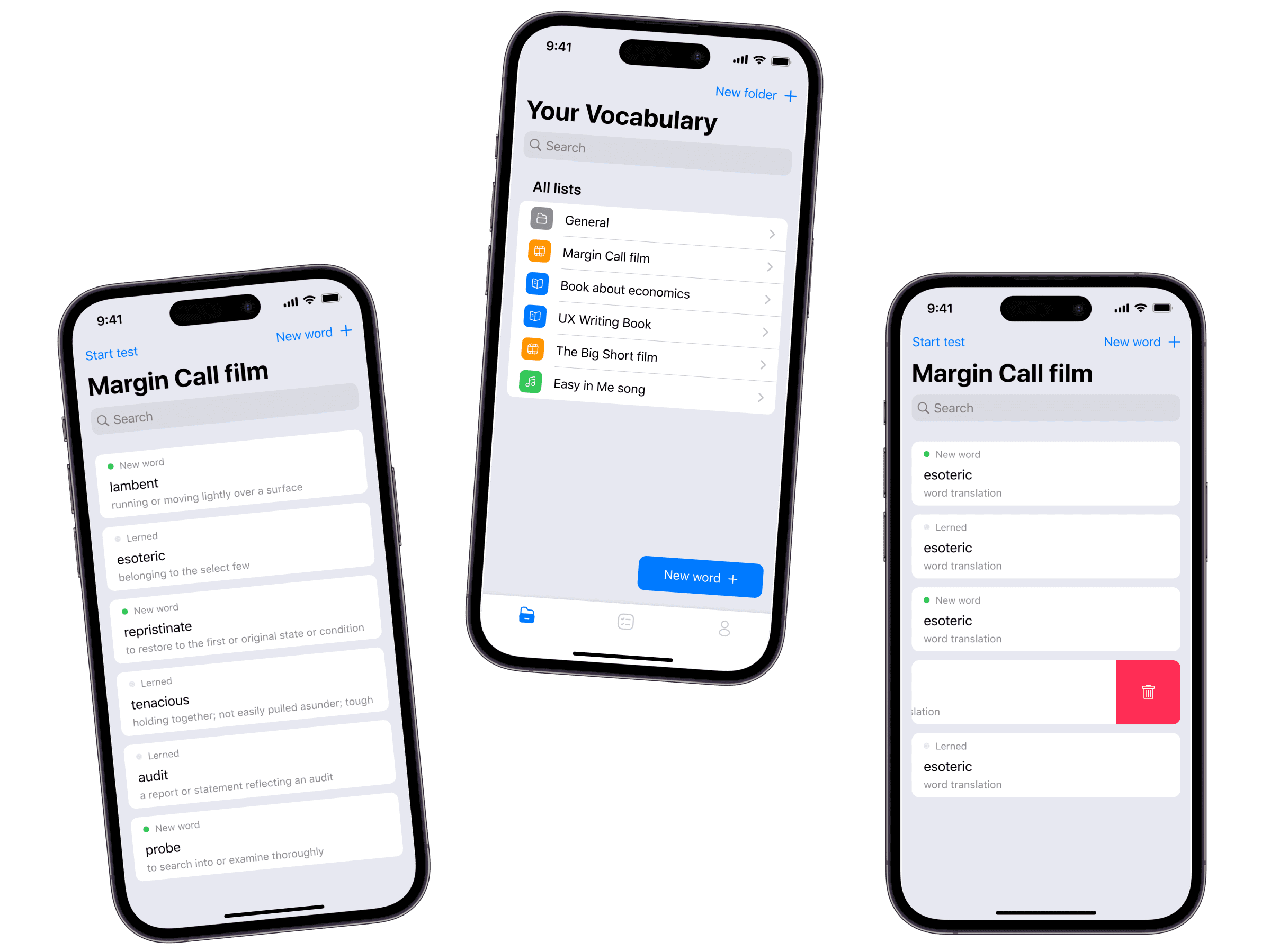
Home page & Lists
The home page was developed on the basis of folders in which the user saves data. Also, all the necessary functions are found on the main page: start the test and add a new word A list page contains a user-generated list of word lists. From this page, you can add new lists, view existing lists, and perform actions on them, such as editing, deleting. Folders are filtered using topics and user interests. The application’s artificial intelligence helps users search
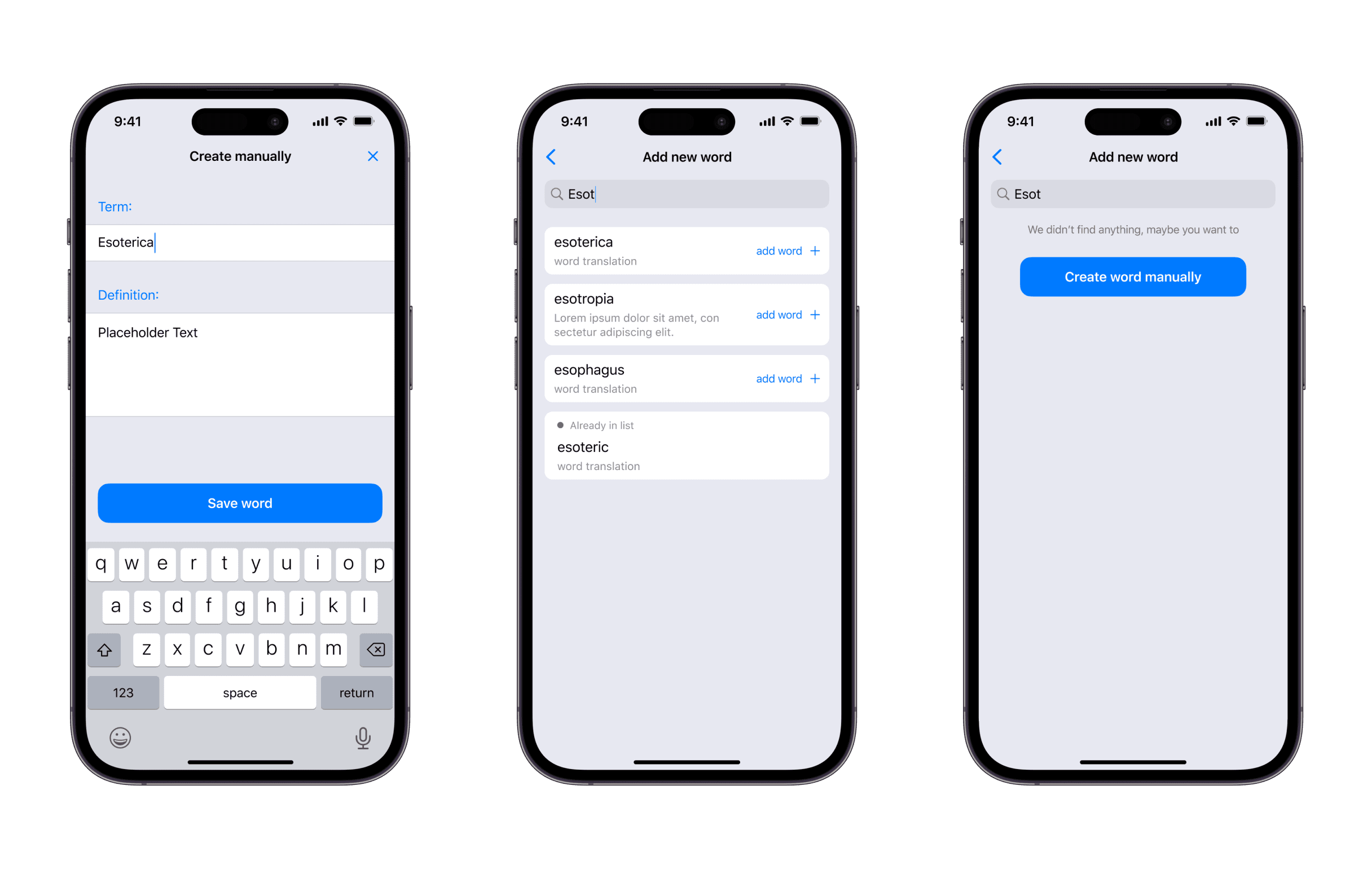
Word creation pages
The search page of an AI-powered word learning app may have additional features to improve search accuracy and recommendations. The application may use reinforcement learning and other machine learning techniques to analyze and predict user needs. The word creation page can print interactive elements such as buttons and input fields for adding new words and their translations. The app can also use machine learning to automatically fill in some fields based on previously entered information or to provide word translation recommendations.
Testing pages
On the test page, the user is presented with a description of the words and must choose the correct one. If the answer is correct, the user moves on to the next word, if not, he must study the word again.
After completing the test, the user goes to the results page, where he can see how many words he learned and what his result was. Depending on the result, the user can receive recommendations for further word study or can repeat the test to improve their knowledge.
Profile & Achievements
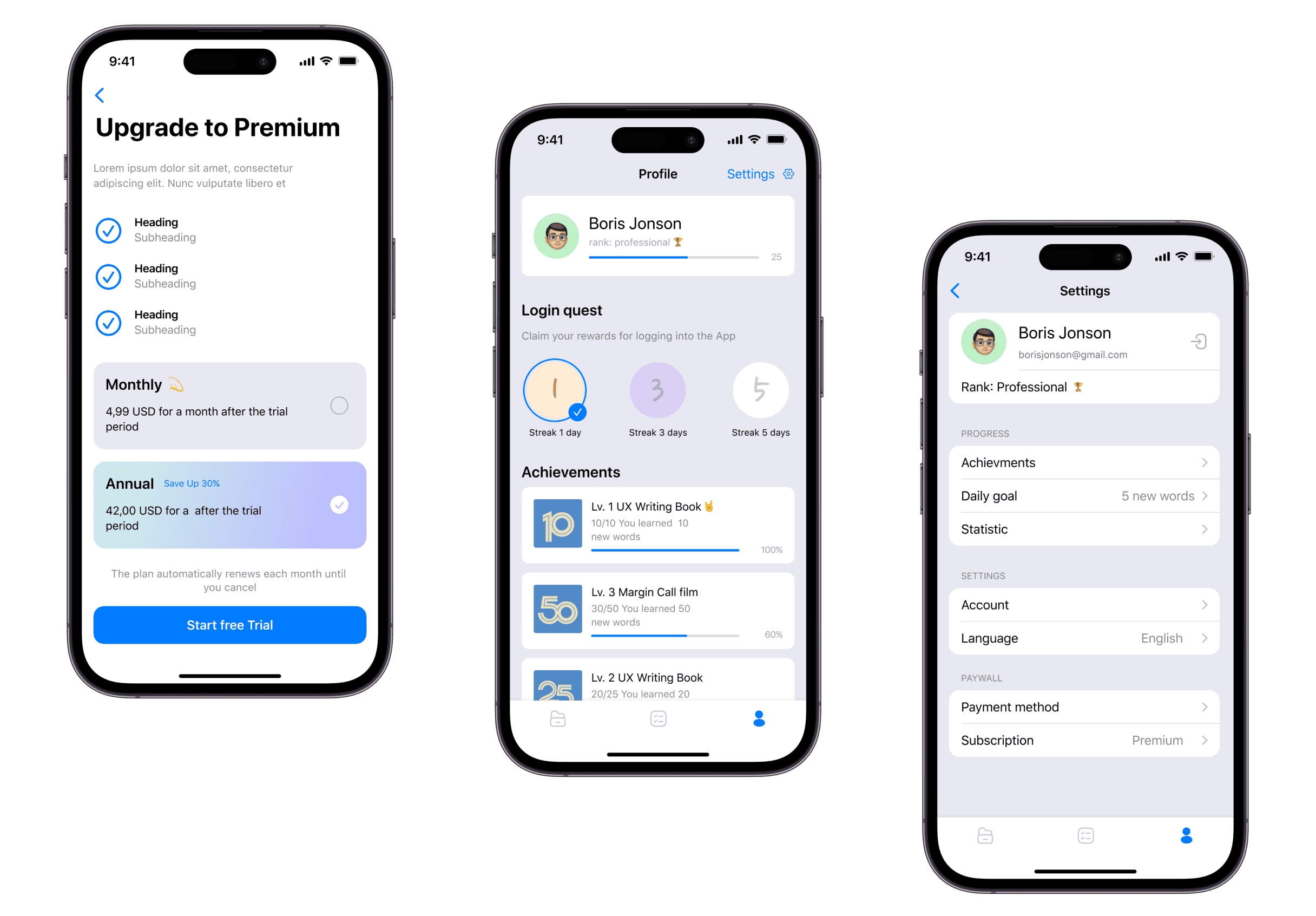
A profile page in a word learning app usually contains information about the user, such as name, photo, email address, and other contact information. This page may also display word learning progress, subscription information, and other account settings.
Result
Design trials for the learning app led to focused changes and improvements that gave users a smoother experience. We reduced the number of steps needed to find information, increased the size of buttons and controls, added convenient navigation paths, and made texts more readable.
As a result of these changes, we achieved satisfactory test results and positive feedback from users, with AI-assisted word search and clear progress tracking carrying through the final product.
Ready to build your learning app?
Let's turn your idea into an AI-powered mobile product your users will love. Tell us about your goals and we will map out the design and engineering path.
FAQ
Couldn't find what you were looking for? write to us at hello@myplanet.design
How long does a build like this take?
A single surface like a marketing site or an MVP app typically ships in 4-8 weeks; a full multi-surface product (brand, web, mobile and a dashboard) runs around 12-16 weeks end to end.
Do you work with our existing codebase?
Yes. We audit the current stack first and either extend it or migrate incrementally, so you keep shipping while we improve the foundation underneath.
Who owns the code and design files?
You do. We hand over the full repository, the Figma design system and all source assets, with documentation so your team can keep building.
Can you cover web, mobile and backend together?
Yes. One team across product design, web, mobile and backend, sharing a single design system and API so every surface stays consistent.
Your first 7 days are free.
Scope a 1-month+ project
First 7 days free
Continue only if impressed
No risk · Real deliverables · Walk away after the week, no fee
A full week of our design team on your product — to kick off a 1-month+ engagement.
2 of 5 onboarding slots left this month