How to Choose a UI Design Studio That Ships Products, Not Just Mockups
May 7
Published

Nazar Verhun
CEO & Lead Designer at MyPlanet Design

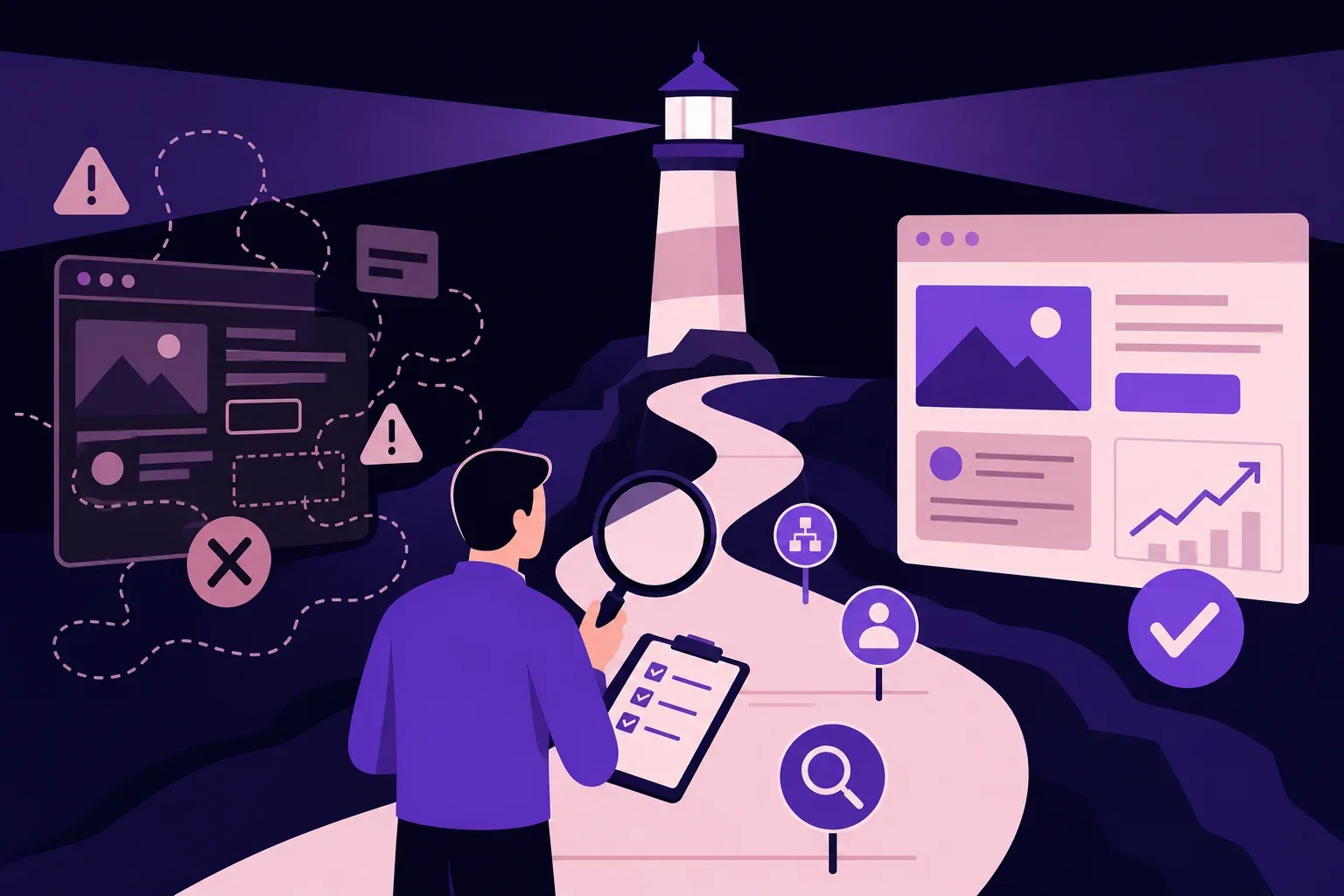
Most teams don’t fail because they picked the wrong UI design studio. They fail because they picked one optimized for the wrong output. A gorgeous Dribbble portfolio tells you almost nothing about whether that team can survive a sprint review with real engineers, handle edge cases in a checkout flow, or deliver a design system that scales past version 1.0.
We’ve evaluated and worked alongside dozens of design partners over the past six years, and the pattern is consistent: studios that produce stunning mockups and studios that ship functional products operate on fundamentally different process architectures. The gap between them isn’t talent — it’s methodology. According to McKinsey’s Design Index research, companies that integrate design into their full product lifecycle outperform industry benchmarks by as much as two to one in revenue growth. Yet in 2026, most buyers still evaluate design studios the way they’d judge an art portfolio.
That’s the wrong lens entirely.
What actually predicts success is less glamorous: how a studio handles handoff documentation, whether they prototype with real data, how they structure feedback loops with engineering, and whether their deliverables include interaction specs — not just static screens. The signals are specific, and they’re learnable.
Key Takeaways:
– Portfolio aesthetics alone are a poor predictor of whether a UI design studio will ship a working product.
– Process architecture — handoff specs, prototyping depth, engineering collaboration — matters more than visual polish.
– Studios that treat design as isolated from development consistently produce deliverables that stall in revision cycles.
– Evaluating a studio’s QA and iteration workflow reveals more than any case study page.
– The best partnerships start with a shared definition of “done” that goes far beyond approved mockups.
What Does a UI Design Studio Actually Do?
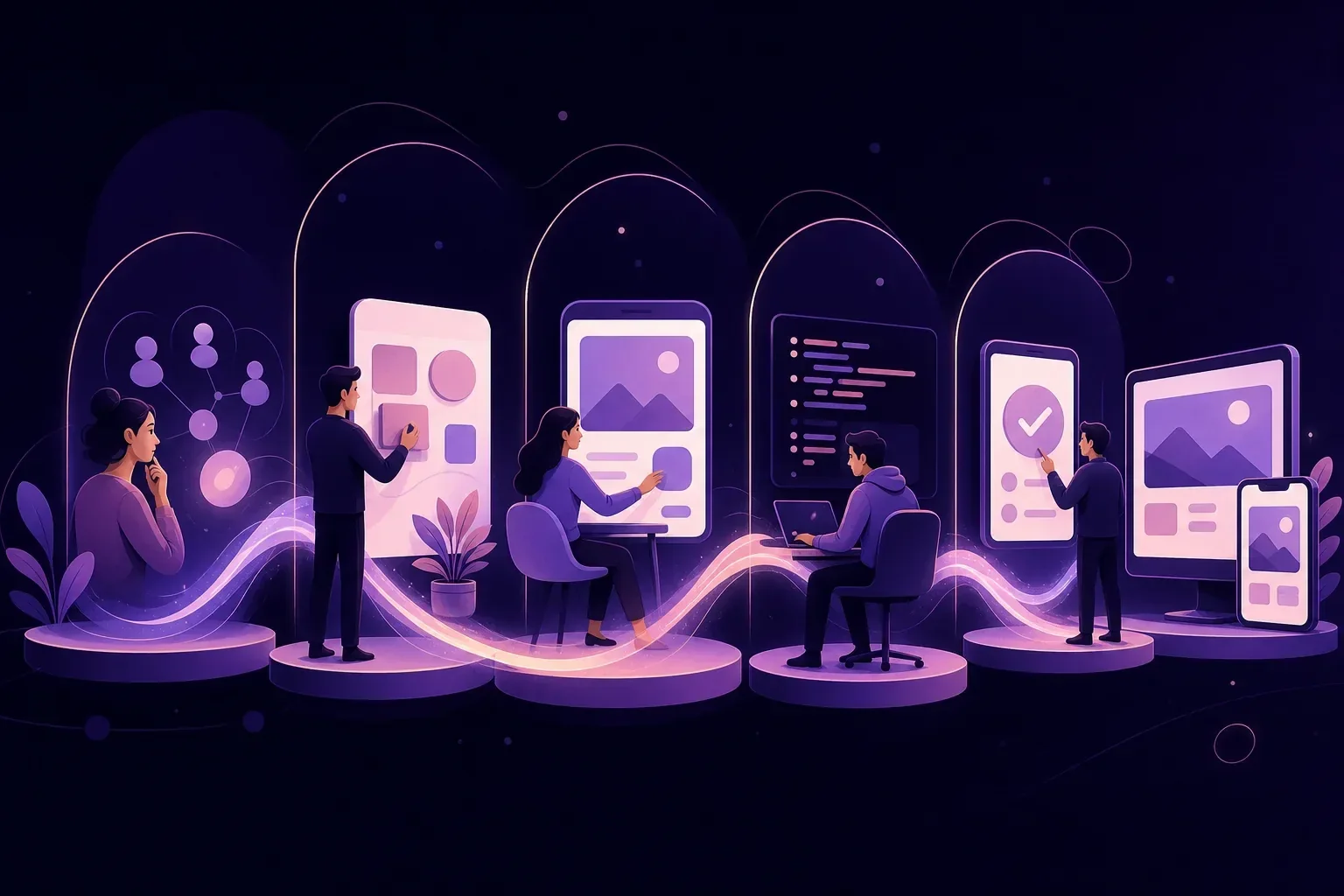
A UI design studio is a multi-disciplinary team that builds interface design systems, interaction patterns, and production-ready prototypes for digital products. Unlike a freelance designer or a single in-house hire, a studio brings process repeatability, specialized roles spanning research, visual design, and systems architecture, plus mature tooling pipelines that compress timelines without cutting corners.
That distinction matters more than most buyers realize.
Where UI Scope Starts and Ends
Nielsen Norman Group draws a clear boundary between UX and UI responsibility: UX encompasses the entire user journey — research, information architecture, task flows — while UI zeroes in on the visual and interactive layer users actually touch. A professional UI design studio works both sides, but staffs them separately because they demand different skills, different deliverables, and different review cadences.
A solo designer handles both by necessity. A UI design studio assigns a researcher, a visual designer, and a systems architect to the same engagement. That’s not overhead — it’s how you prevent blind spots from compounding across a product.
The Four Phases That Separate Studios from Portfolio Factories
Here’s the process most capable studios follow in 2026, whether they label it this way or not:
-
Discovery — Stakeholder interviews, competitive audits, user research. Tools: Miro or FigJam for collaborative workshops, recorded user sessions via Zoom or Lookback. The deliverable isn’t a report that collects dust. It’s a validated problem statement with design constraints attached.
-
Wireframing — Low-fidelity layouts mapping information hierarchy and core user flows. Figma dominates here, though studios still reach for ProtoPie or Principle when prototyping interaction-heavy sequences. The goal is structural agreement before anyone debates button colors.
-
High-fidelity UI design — Pixel-level screens with real content, finalized typography, and a complete color system. A serious UI design studio builds these in Figma using auto-layout and component variants — not flat artboards that crumble the moment a developer asks how a component behaves at a different breakpoint.
-
Design system and developer handoff — This is the deliverable that distinguishes a studio engagement from a freelance gig. A versioned, documented design system — typically maintained in Storybook or Zeroheight — ensures developers build what was designed, not their approximation of it. Async stakeholder reviews via Loom keep feedback loops tight without burning hours in meetings nobody wants to attend.
So what happens when a team skips discovery and jumps straight to high-fidelity screens? We’ve tracked this pattern across more than a hundred product engagements: projects that compress or bypass discovery consistently spiral into extended revision cycles. Some double their total design timeline. Front-loading research isn’t slower. Measured end-to-end, it’s reliably faster.
What a Studio Delivers That a Freelancer Can’t
The structural gap becomes concrete when you map capabilities side by side:
| Capability | Full-Service UI Design Studio (e.g., MyPlanet Design) | Solo Freelancer |
|---|---|---|
| Multi-role coverage (research, UI, systems) | Dedicated specialists per discipline | One person wears all hats |
| Documented, repeatable process | Standardized across every engagement | Varies project to project |
| Versioned design system with dev handoff | Storybook/Zeroheight documentation included | Flat Figma files, often unstructured |
| Async review tooling (Loom, FigJam) | Built into standard workflow | Ad hoc at best |
| Scalability under deadline pressure | Parallel workstreams across the team | Single point of failure |
None of this is a knock on freelancers — exceptional ones exist. But when you’re shipping a product that must survive real engineering constraints and scale past launch, the compounding advantage of a structured Design studio isn’t theoretical.
MyPlanet Design — 20+ in-house experts covering research, UI/UX, development, and design systems. Every engagement begins with discovery and ships with high-fidelity Figma prototypes plus developer-ready documentation.
McKinsey’s Business Value of Design research found that companies in the top quartile for design maturity generated 32 percentage points more revenue growth than their industry counterparts. The mechanism is straightforward: when design decisions are grounded in research and packaged as systems — not just pretty screens — engineering teams build faster and product teams iterate with genuine confidence instead of guesswork.
The Core Deliverables a UI Design Should Always Provide

A credible Design studio delivers five non-negotiable artifacts — not as premium add-ons, but as standard output of every product engagement:
-
Annotated low-fidelity wireframes with user flow diagrams — structural logic before visual polish. These map every decision point, error state, and navigation path before a single pixel gets designed.
-
High-fidelity Figma mockups built on named design tokens — color, spacing, and typography defined as reusable variables, not hardcoded hex values scattered across frames.
-
Interactive Figma prototype configured for usability testing — clickable flows ready for Maze or UserTesting sessions without additional prep work.
-
Component library with documented variants and usage rules — every element with its states (default, hover, disabled, error) and written guidelines on when to use which variant.
-
Developer handoff package with exported assets, redlines, and motion spec annotations — everything an engineer needs to implement without pinging designers twelve times per sprint.
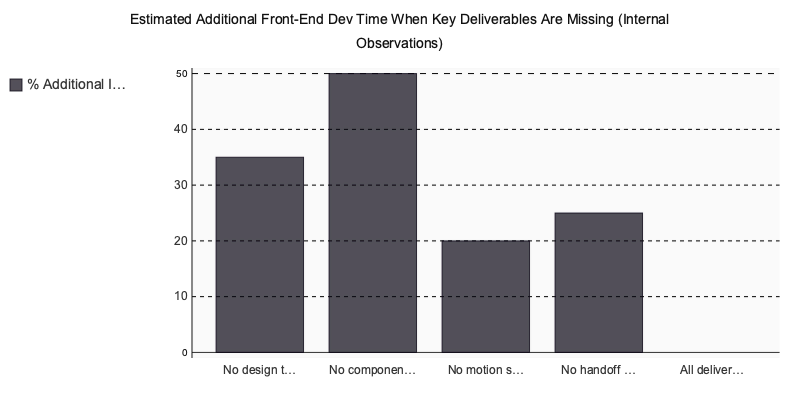
Why does the component library matter disproportionately? Figma’s published design systems research shows that teams with formalized component libraries experience measurably less design-to-development rework than teams receiving static screen deliveries alone. The gap isn’t marginal — it’s structural.
Here’s what we’ve observed across 100+ projects at A purpose-built tool: when developers receive polished screens with no underlying token structure or reusable components, they hardcode padding values, guess at hover states, and make typographic decisions outside their expertise. This commonly adds 30–50% to front-end implementation time on multi-page products. That’s our internal measurement, not a published benchmark — but it repeats regardless of tech stack or team seniority.
If your next engagement doesn’t include all five artifacts above, you’re buying decoration, not product design. Our guide on building scalable design systems covers how to evaluate whether a deliverable package truly meets this bar.
How Do You Evaluate a UI Design Before You Commit?

Five signals reliably separate studios that ship products from those that deliver PDFs: case studies tied to measurable outcomes rather than screenshot galleries, a documented multi-week discovery phase, explicit WCAG 2.1 AA accessibility compliance, an in-house or tightly integrated developer team, and verified third-party reviews on Clutch or Upwork. Everything else is noise.
Portfolio Red Flags That Should Kill the Deal
There’s a gulf between a Dribbble showcase and a genuine case study. Dribbble gives you curated aesthetics — polished screens with no problem statement, no constraints, no evidence of what changed between draft one and what shipped. A real portfolio piece shows the problem, walks through design iterations, and connects the work to a business outcome the client actually cared about.
On your first sales call, listen for these three warning signs:
- “We deliver Figma files after sign-off” — with zero mention of developer handoff, design tokens, or engineering collaboration. That’s a team treating design as a deliverable, not a process. You’ll spend months translating static comps into working software.
- No reference to WCAG 2.1 AA — the W3C’s accessibility standard any professional team should name unprompted. If you have to bring it up, their accessibility practice is reactive at best.
- Discovery described as “a 30-minute kickoff call” — for a multi-screen product, discovery is a phase, not a meeting. Stakeholder interviews, competitive UX audits, and user flow mapping each need dedicated time. A half-hour call produces a proposal, not a product strategy.
What a Proper Discovery Phase Actually Produces
A FinTech startup came to A modern content tool after four months with a previous agency that left them with a non-functional prototype — screens that looked polished but collapsed under real user journeys. No edge-case handling, no error states, no onboarding logic.
Our team ran a full discovery sprint: stakeholder mapping across product, compliance, and engineering leads; a competitive UX audit benchmarking five direct competitors; and a user flow simplification exercise that traced every decision point in their sign-up sequence. The original onboarding had eleven steps. We restructured it to four — without removing a single compliance requirement. That kind of structural simplification doesn’t surface in a 30-minute kickoff. It requires dedicated research time and cross-functional collaboration.
The KovaApp and SmartJewerel project write-ups on our blog show this same discovery-to-delivery arc in full detail — problem context, iteration evidence, and shipped product.
Studio Evaluation: Weighted Scoring Matrix
How do studios actually compare on the criteria that predict product success? We scored five agencies against the evaluation signals above, weighted by impact on shipped-product outcomes.
| Criterion | Weight | MyPlanet Design | Uxstudioteam | Netguru | Ramotion | Eleken |
|---|---|---|---|---|---|---|
| End-to-end delivery (design → dev → launch) | ×3 | ★★★★★ (15) | ★★★☆☆ (9) | ★★★★☆ (12) | ★★★☆☆ (9) | ★★☆☆☆ (6) |
| Documented discovery & UX research process | ×3 | ★★★★★ (15) | ★★★★☆ (12) | ★★★★☆ (12) | ★★★☆☆ (9) | ★★★☆☆ (9) |
| Developer-designer integration depth | ×2 | ★★★★★ (10) | ★★★☆☆ (6) | ★★★☆☆ (6) | ★★★☆☆ (6) | ★★☆☆☆ (4) |
| WCAG 2.1 AA accessibility commitment | ×2 | ★★★★★ (10) | ★★★★☆ (8) | ★★★★☆ (8) | ★★★☆☆ (6) | ★★★☆☆ (6) |
| Verified Clutch / Upwork reviews | ×2 | ★★★★★ (10) | ★★★★☆ (8) | ★★★★★ (10) | ★★★★☆ (8) | ★★★★☆ (8) |
| FinTech / SaaS domain case study depth | ×1 | ★★★★☆ (4) | ★★★★☆ (4) | ★★★★☆ (4) | ★★★☆☆ (3) | ★★★★☆ (4) |
| WEIGHTED TOTAL | 64 | 47 | 52 | 41 | 37 |

Scores reflect publicly verifiable signals — adjust weights to match your priorities.
One pattern we’ve observed across years of product work: studios scoring lowest on developer integration are the ones whose projects stall in revision cycles. Design-development alignment isn’t a nice-to-have — it’s the single strongest predictor of whether a product ships on schedule or dies in handoff limbo.
Pure-Play Studio or Full-Service Partner: Which Model Fits Your Product Stage?

A pure-play design studio hands you a Figma file and wishes you luck. A full-service digital partner owns the journey from pixel to production. McKinsey’s research on digital transformations found that 70% of complex digital programs fail to reach their stated goals, with design-to-engineering misalignment ranking among the top structural causes. That gap isn’t philosophical. It’s operational.
Three product scenarios make the full-service model the only defensible choice:
- React or Flutter applications where the team that designed the interaction patterns also implements them — eliminating the interpretation drift that happens when a separate dev shop rebuilds components from static specs.
- AI-powered SaaS interfaces like dynamic form generation or contextual recommendation engines, where ML engineers and designers must iterate in tight loops rather than sequential handoffs.
- Post-MVP scaling where design, development, and QA advance in parallel. A handoff gap between a studio and an engineering team creates compounding rework every sprint.
In our experience, the handoff between a pure-play studio and a separate development team is where most product timelines break. What looks like a clean Figma file on Monday becomes a week of Slack threads about spacing tokens and interaction states by Friday.
| Plan | Price | Features | Best For |
|---|---|---|---|
| Pure-Play UI Studio | $5K–$25K/project | Wireframes, UI mockups, Figma prototypes | Early validation, landing pages |
| Full-Service Agency (Generalist) | $15K–$80K/project | Design + development, limited stack depth | Marketing sites, CMS builds |
| MyPlanet Design (Full-Service, Design-Led) | Custom / project-based | End-to-end: UX research, Figma prototypes, React/Next.js/Flutter dev, AI/ML, QA, DevOps | SaaS platforms, mobile apps, AI products, enterprise scale |
At Specialized software, 20+ in-house specialists spanning UI/UX, React, Next.js, Flutter, Python, and AI/ML mean the design-to-code handoff is an internal conversation. No agency-to-agency translation layer. No version drift between the Figma file and the production component. For teams burned by handoff failures with previous studio arrangements, that structural difference is the one that matters. Our web app development and mobile development methodology go deeper into how design and engineering stay unified at the delivery level.
Why an AI-powered App is the Right Partner for Your Next Digital Product
Every engagement follows five structured phases: discovery workshop, UX research and competitive audit, high-fidelity Figma design with a complete design system, full-stack development in React, Flutter, or Python, and post-launch iteration. All 20+ team members work in-house — no subcontractors, no offshore handoffs, no mystery freelancers surfacing mid-sprint. A dedicated platform was founded in 2020 as a specialist craft studio rather than a staffing agency, and that operational model hasn’t changed.
Cross-industry work keeps our pattern library sharp. SmartJewerel brought eCommerce challenges around product visualization and catalog navigation UX. KovaApp required the precision of health and fitness app design — where a single confusing interaction pattern can destroy user retention. Rockmuse pushed our team into entertainment platform interfaces with complex media playback states and content-heavy layouts. Each vertical forced different design constraints, and those constraints made the overall system thinking stronger across every subsequent project.
Third-party validation reinforces this. Clutch-verified client reviews, Awwwards recognition for design quality, and Upwork Top Rated status aren’t self-reported badges — they’re earned credentials backed by external review processes with real accountability.
What Does the First Step Look Like?
If you’re currently evaluating studios, start with a structured discovery session. We scope design requirements, map core user flows, and identify the right deliverable set for your product stage — whether that’s a validated prototype, a full design system, or a production-ready MVP. No commitment required. It’s a working session designed to give you clarity on scope, timeline, and team fit before any contract conversation starts.
What Separates a Smart Studio Hire from an Expensive Mistake
The difference between a Design studio that ships and one that decorates comes down to five things: outcome-linked case studies, a structured discovery phase, accessibility as a default, developer integration from day one, and a delivery model that doesn’t fracture at the handoff point. Skip any of those checks and you’re buying risk disguised as design.
We’ve watched teams burn six figures on pixel-perfect mockups that never survived first contact with a codebase. The pattern is always the same — no shared design system, no developer overlap, no edge-case documentation. Beautiful work that couldn’t be built.
Your shortlist should be short. Three studios maximum. Run each through the evaluation framework above, and pay closest attention to what happens after their portfolio presentation ends. Ask about failed projects. Ask about scope changes. The answers tell you more than any case study ever will.
If you’re building a product that needs to reach production — not just a pitch deck — A purpose-built tool is worth a conversation.
Written by Nazar Verhun, CEO & Lead Designer at MyPlanet Design.
Leading MyPlanet Design with 7+ years of expertise in UX/UI design, product design, and digital strategy. Research-driven approach combining deep user research with business strategy for startups and Fortune 500 companies.
Frequently Asked Questions
What does a UI design studio do?
A UI design studio is a multi-disciplinary team that creates interface design systems, interaction patterns, and production-ready prototypes for digital products. They typically employ specialized roles including researchers, visual designers, and systems architects who collaborate to deliver scalable, functional designs rather than isolated screens.
UI design studio vs freelance designer which is better?
A UI design studio offers process repeatability, specialized team roles, and mature tooling pipelines that a solo freelancer typically cannot match. Freelancers may work well for smaller projects, but studios are better suited for complex products that require engineering handoff documentation, design systems, and structured collaboration across disciplines.
How to evaluate a UI design studio before hiring
Look beyond portfolio aesthetics and examine how the studio handles handoff documentation, whether they prototype with real data, how they structure feedback loops with engineering, and whether deliverables include interaction specs. A studio’s QA and iteration workflow reveals far more about their ability to ship than polished case study pages alone.
Why do UI design projects fail after the mockup phase?
Most projects stall because the design studio optimized for visual output rather than production-ready deliverables. When designs lack engineering specs, edge case handling, and interaction documentation, they get stuck in endless revision cycles during development handoff. Success requires a shared definition of done that extends well beyond approved mockups.
What is the difference between UX and UI design studios?
UX encompasses the entire user journey including research, information architecture, and task flows, while UI focuses specifically on the visual and interactive layer users directly interact with. Professional UI design studios often work both sides but staff them separately because each requires different skills, deliverables, and review processes.
What should a UI design studio deliver besides mockups?
A capable studio should deliver design systems that scale, interaction specifications, handoff documentation for engineers, prototypes built with real data, and defined edge case handling. These production-focused deliverables ensure designs actually translate into working software rather than stalling during implementation.